
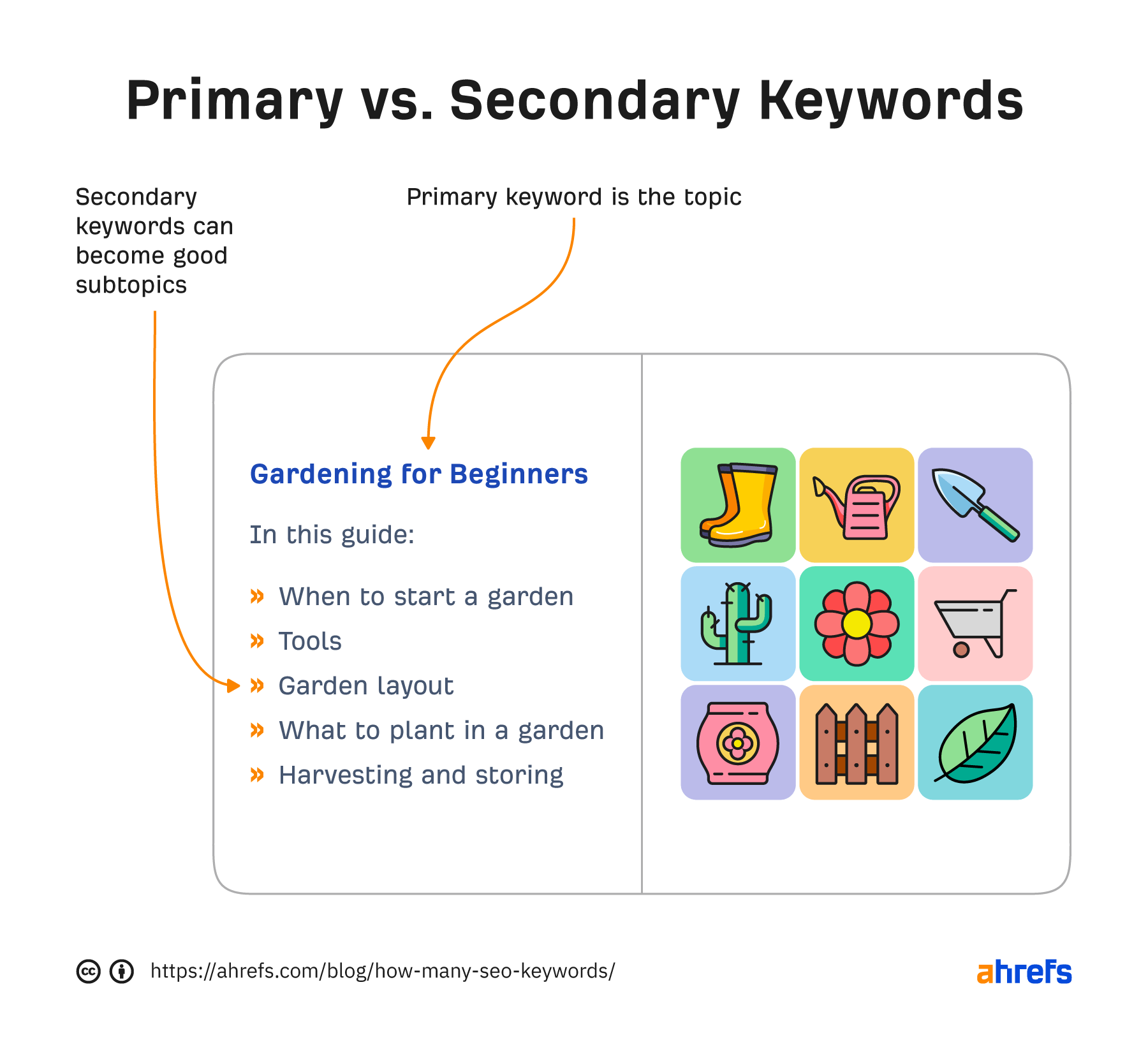
Hello there! Have you ever wondered how to make the most out of keywords for on-page SEO? By strategically placing relevant keywords in your titles, meta tags, headers, and content, you can improve your website’s visibility and reach your target audience more effectively. In this article, we’ll discuss some tips and tricks on how to effectively use keywords for on-page SEO to boost your website’s search engine ranking. Let’s dive in and learn how to optimize your content for maximum impact! Hey there! Have you ever wondered how to effectively use keywords for on-page SEO? Well, you’re in the right place! In this article, I’ll guide you through the ins and outs of using keywords to optimize your website for search engines. Let’s dive in!

What Are Keywords and Why Are They Important?
Keywords are the words or phrases that people type into search engines to find information on the internet. They play a crucial role in SEO because search engines use them to determine the relevance of your content to a user’s search query. By using the right keywords strategically on your website, you can improve your chances of ranking higher in search engine results pages (SERPs) and attracting more organic traffic.
Keywords Are the Foundation of SEO
Keywords are like the building blocks of SEO. They help search engines understand what your content is about and match it with the queries users are typing into the search bar. Without the right keywords, your content may never reach its intended audience, no matter how well-written or informative it is.
How to Choose the Right Keywords
Choosing the right keywords is crucial for the success of your on-page SEO efforts. Here are some tips to help you select the most effective keywords for your website:
Understand Your Audience
To choose the right keywords, you need to understand your target audience. Think about what words or phrases they would use to search for your products or services online. Put yourself in their shoes and try to anticipate their needs and preferences.
Use Keyword Research Tools
Keyword research tools like Google Keyword Planner, SEMrush, and Ahrefs can help you identify popular keywords related to your niche. These tools provide valuable insights into search volumes, competition levels, and keyword trends, making it easier for you to choose the best keywords for your website.
Focus on Long-Tail Keywords
Long-tail keywords are longer, more specific phrases that typically have lower search volumes but higher conversion rates. They are less competitive than short-tail keywords and can help you attract highly targeted traffic to your website. Including long-tail keywords in your content can also improve its relevance and quality.
Consider Search Intent
When choosing keywords, consider the search intent behind them. Are people looking for information, products, or services? By aligning your keywords with the search intent of your target audience, you can create content that meets their needs and addresses their queries effectively.
Where to Place Keywords on Your Website
Once you’ve chosen the right keywords for your website, it’s essential to place them strategically on your pages to optimize them for search engines. Here are some key areas where you should include your keywords:
Title Tags
Title tags are the headlines that appear in search engine results pages (SERPs) and web browsers. Including your target keywords in your title tags can improve your website’s visibility and click-through rates. Make sure your title tags are descriptive, concise, and relevant to the content on your page.
Meta Descriptions
Meta descriptions are brief summaries of your web pages that appear below the title tags in SERPs. While meta descriptions do not directly impact your website’s search rankings, they can influence users’ decision to click on your link. Including your target keywords in meta descriptions can make your content more compelling and increase its chances of being clicked.
Headings and Subheadings
Headings and subheadings are essential for organizing your content and making it more readable for both users and search engines. Including your target keywords in headings and subheadings can help search engines understand the structure and context of your content. Use H1 tags for main headings and H2-H6 tags for subheadings to create a logical hierarchy.
Body Content
Incorporating your target keywords naturally throughout your body content is crucial for on-page SEO. Focus on creating high-quality, informative content that provides value to your readers while incorporating relevant keywords. Avoid keyword stuffing, as this can harm your website’s search rankings and user experience.
URL Structure
Optimizing your URL structure by including keywords can improve the readability and SEO-friendliness of your website. Use short, descriptive URLs that contain your target keywords to help search engines understand the content of your pages. Avoid using numbers, symbols, or special characters in your URLs, as these can confuse search engines and users.
Image Alt Text
Adding keyword-rich alt text to your images can improve the accessibility and relevance of your content. Alt text is a brief description of an image that appears when the image cannot be displayed. Including your target keywords in alt text can help search engines index your images and improve your website’s overall SEO.
Best Practices for Using Keywords
Now that you know where to place keywords on your website, let’s explore some best practices for using keywords effectively in your on-page SEO strategy:
Optimize for Mobile
With the majority of internet users now accessing websites on mobile devices, it’s crucial to optimize your website for mobile SEO. Ensure that your content is responsive, fast-loading, and easy to navigate on mobile devices. Mobile-friendly websites are more likely to rank higher in mobile search results and attract organic traffic.
Monitor and Analyze Your Keywords
Regularly monitor and analyze your keywords to track their performance and adjust your SEO strategy accordingly. Use tools like Google Analytics and Google Search Console to monitor keyword rankings, organic traffic, and user engagement on your website. By analyzing this data, you can identify opportunities for improvement and optimize your content for better results.
Update Your Content Regularly
Keeping your content fresh and up-to-date is essential for maintaining your website’s relevance and visibility in search engine results. Regularly update your content with new information, trends, and keywords to attract more organic traffic and improve your website’s SEO performance. Consider repurposing old content or creating new blog posts to keep your website engaging and informative.
Optimize Your Website Speed
Website speed is a crucial ranking factor that can impact your website’s search visibility and user experience. Ensure that your website loads quickly on all devices by optimizing images, minimizing scripts, and leveraging browser caching. Use tools like Google PageSpeed Insights and GTmetrix to test your website’s speed and identify areas for improvement.
Encourage User Engagement
Engaging your users with high-quality content and interactive features can improve your website’s SEO performance and user experience. Encourage users to share, comment, and interact with your content by including social sharing buttons, comment sections, and interactive elements on your website. Engaging content is more likely to be shared, linked to, and ranked higher in search engine results.
Conclusion
Congratulations! You’ve now learned how to effectively use keywords for on-page SEO. By choosing the right keywords, placing them strategically on your website, and following best practices for keyword optimization, you can improve your website’s visibility, attract more organic traffic, and enhance your overall SEO performance. Remember to continuously monitor and analyze your keywords, update your content regularly, and engage your users to achieve long-term success with on-page SEO. Happy optimizing!